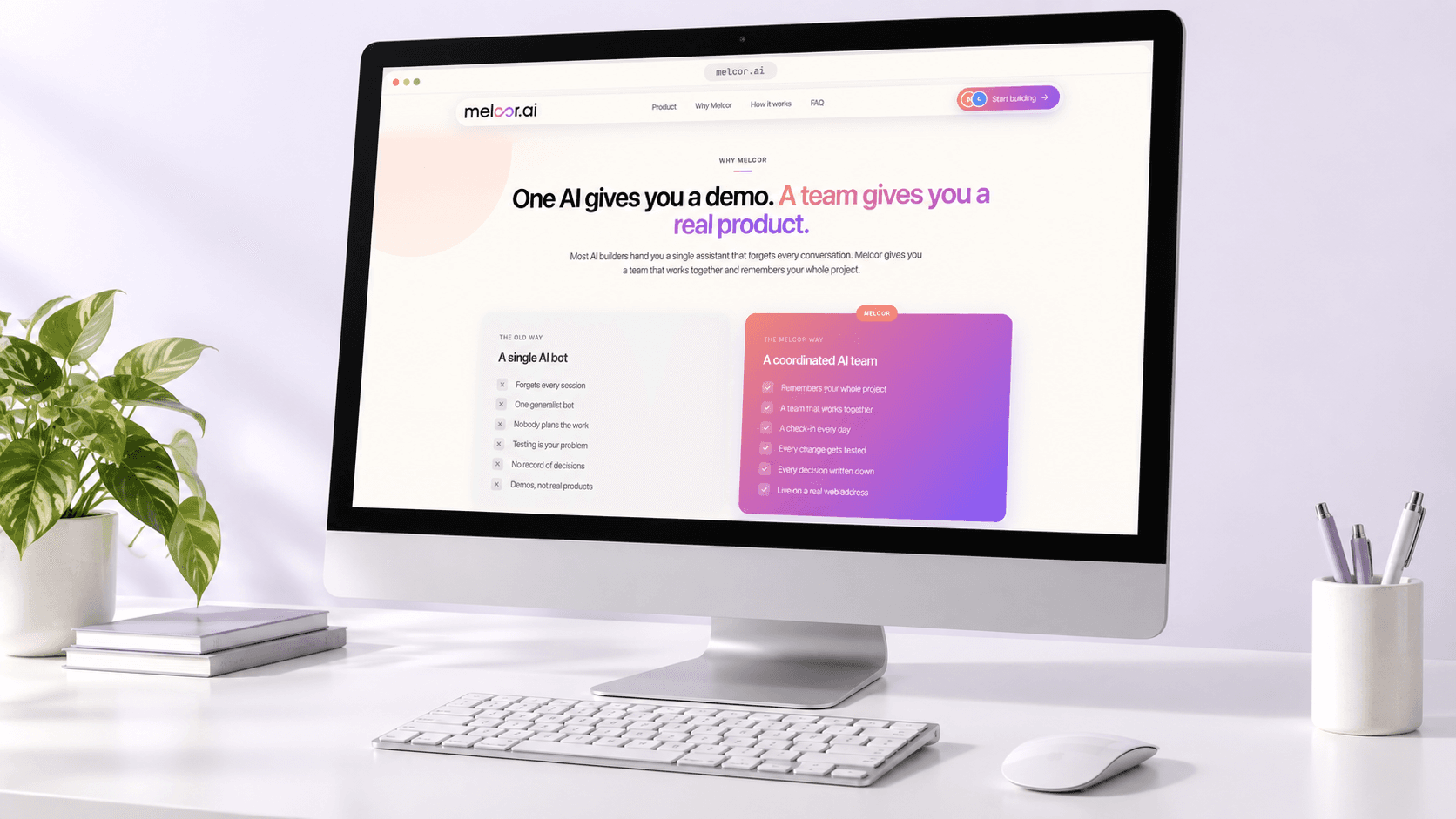
One AI gives you a demo. A team gives you a real product.
A founder without engineers has two ways to get software built: hire freelancers and manage them, or open an AI chat window and start the explanation over every session because the assistant remembers nothing.
Melcor AI names that failure on its own comparison screen. The old way is a single AI bot that forgets every session, one generalist doing every job, nobody planning the work, testing left to the founder, and no record of what was decided.
What comes out of that model is a demo. What a founder needs is a product on a real web address, with the reasoning behind it still available next week.
Compress a software team into a chat window
MelcorSoft set out to reproduce the working rhythm of a product team: a check-in, a plan, a build, a test pass, and a deploy, running day after day without the founder writing a spec or drawing a wireframe.
Four roles, not one bot
Planning, engineering, product direction, and QA are separate responsibilities. Melcor AI gives each one a named role instead of asking a single generalist to carry all four.
One memory between them
Every check-in, every decision, and everything agreed stays available to all four roles, so the founder never has to explain the project twice.
Testing before anything ships
Quinn, the QA specialist, checks every change for broken links, edge cases, and accessibility. The founder is not the one who discovers what broke.
A deploy, not a preview
The last step builds a production bundle, uploads assets, and configures a domain. That is what separates a working product from a demo.
Four moves turned the idea into a working loop
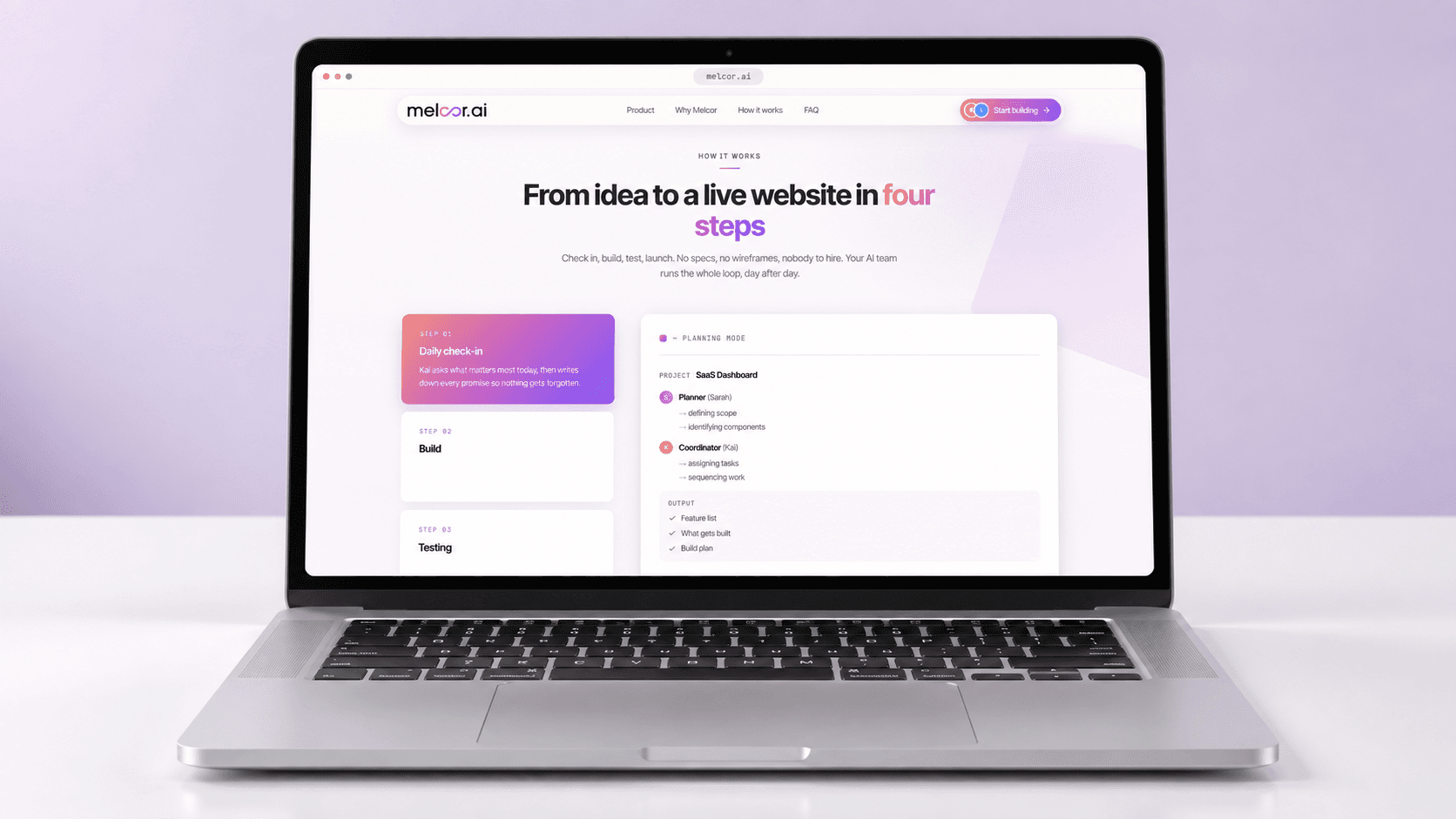
MelcorSoft built Melcor AI around four steps that repeat: the team, the build, the test pass, and the deploy. Each one is a visible state in the product, so the founder always knows which part of the loop the work is in.
Give each responsibility a name and a face
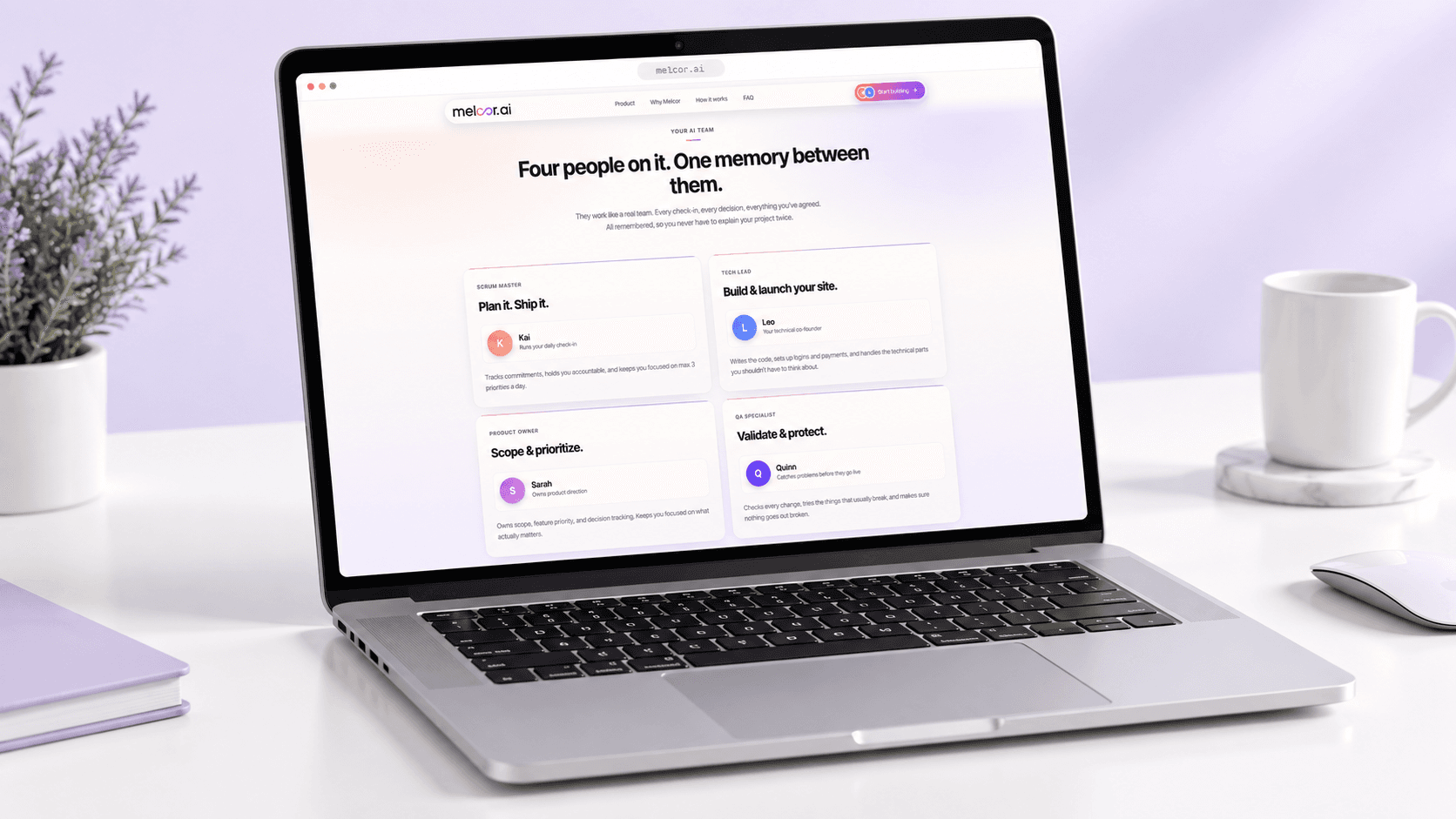
Melcor AI ships four roles rather than one assistant. Kai is the scrum master who runs the daily check-in, tracks commitments, and holds the founder to a maximum of three priorities a day. Leo is the tech lead who writes the code and sets up logins and payments. Sarah is the product owner who holds scope, feature priority, and decision tracking. Quinn is the QA specialist who tries the things that usually break.
The roles share one memory, which is the part that changes the working experience. The product states the goal on this screen as four people on it, one memory between them.
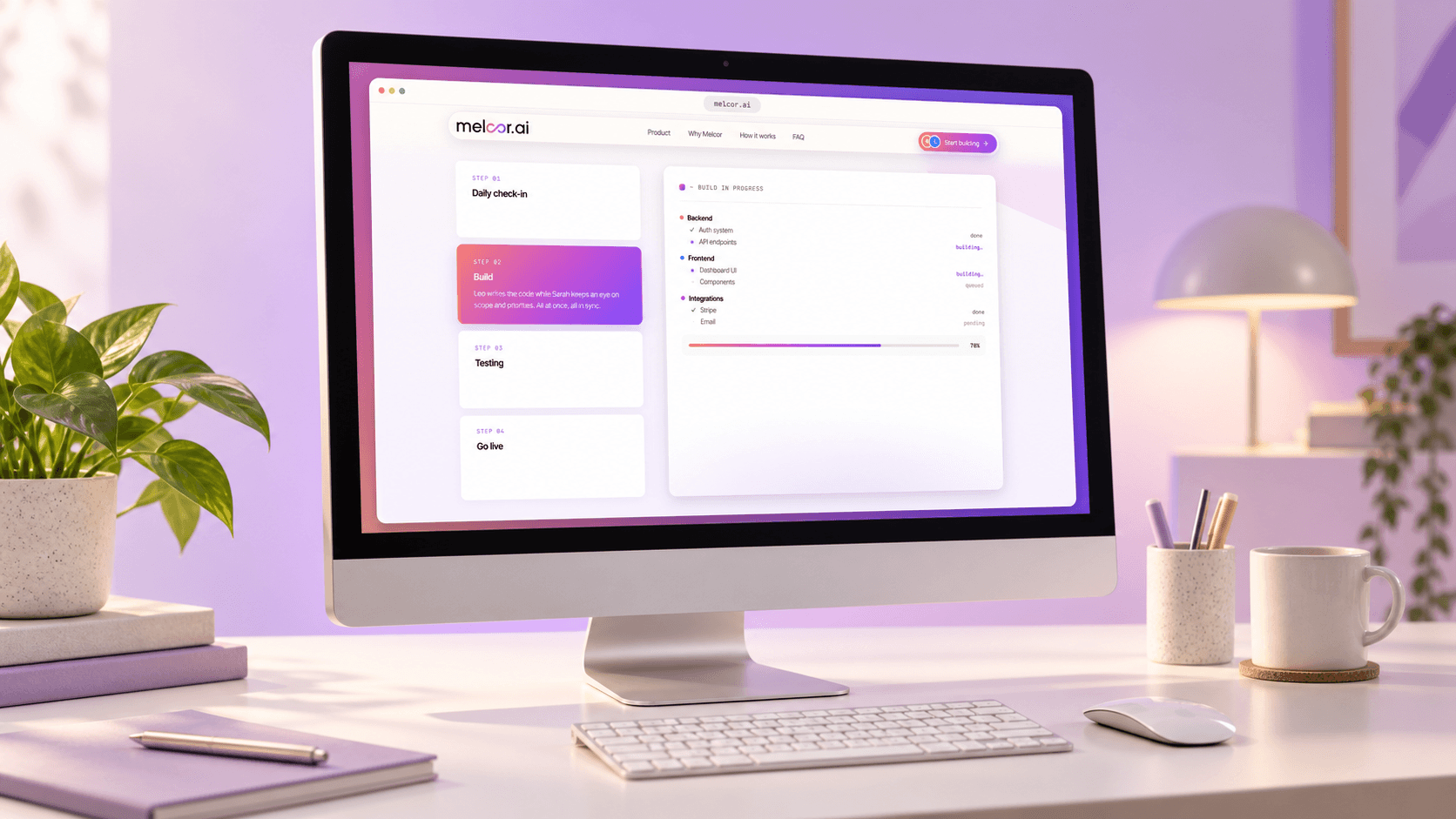
Write the code and hold the scope at the same time
Step 02 runs Leo and Sarah in parallel: Leo writes the code while Sarah keeps an eye on scope and priorities. The build panel splits work into backend, frontend, and integrations, so a founder can see that the auth system is done while API endpoints are still building, or that Stripe is wired up while email is pending.
The panel in this render shows an overall build at 70 percent. That number is sample interface content inside a product screenshot, not a delivery statistic.
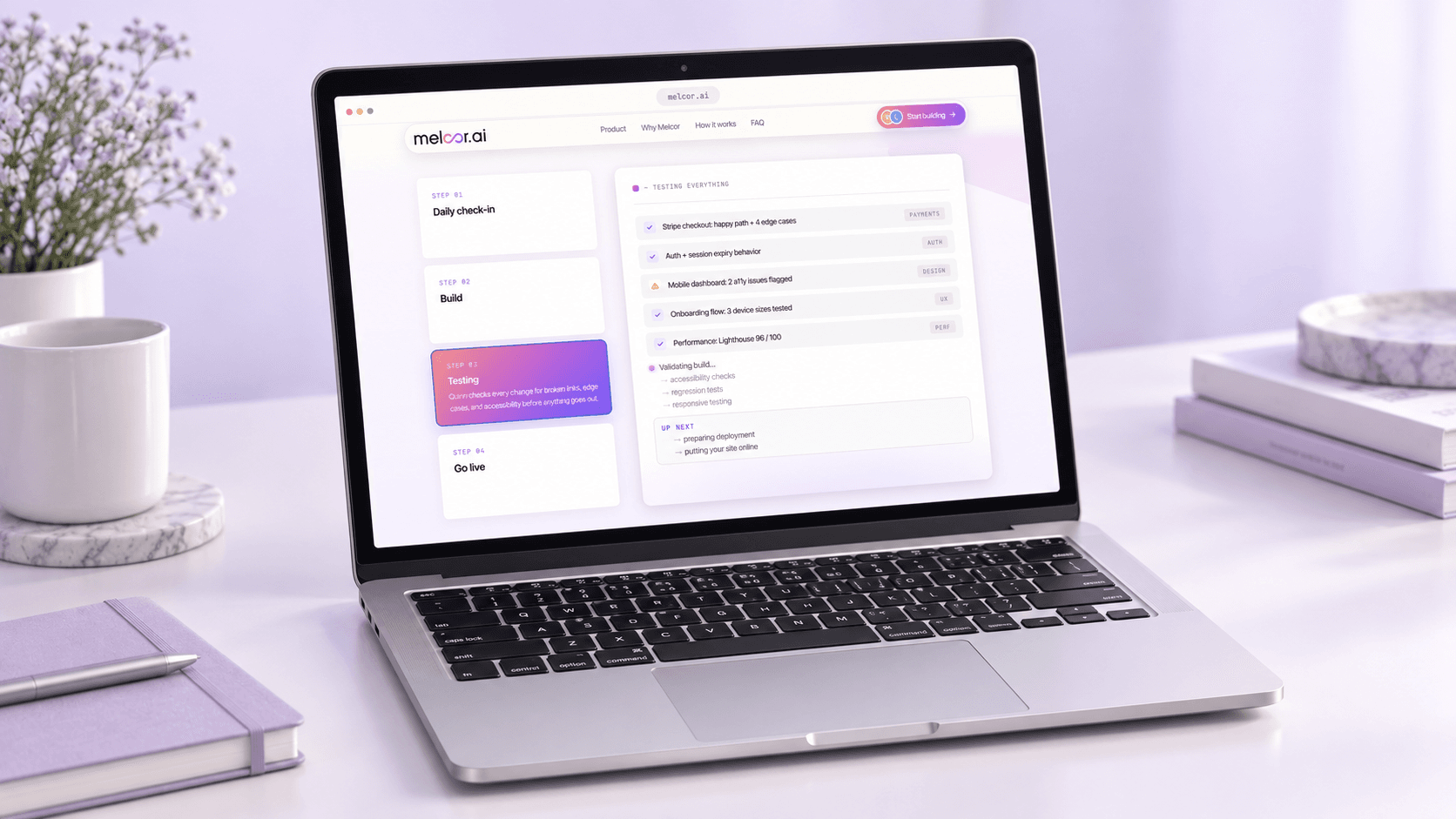
Make QA a step in the loop, not a favor
Step 03 belongs to Quinn, who checks every change for broken links, edge cases, and accessibility before anything goes out. The testing panel names what was covered: the Stripe checkout happy path plus four edge cases, auth and session expiry behavior, the mobile dashboard with two accessibility issues flagged, and the onboarding flow tested at three device sizes.
A performance row in this render reads Lighthouse 96 out of 100. That is a figure the Melcor AI interface displays in a sample project, not a measured result of a MelcorSoft engagement.

End every cycle at a real web address
Step 04 builds the production bundle, uploads assets, configures the domain, and reports the site as live. The same panel counts the decisions logged that week, which keeps the deploy connected to the reasoning that produced it.
The web address shown in this render is badged MOCKUP inside the product. It illustrates the go-live state and is not a deployed customer site.
What the product model makes possible
Melcor AI is a live product rather than a finished engagement, so the honest result is structural: what the interface commits to, and what that commitment changes for someone building alone.
A loop a founder can follow
Check-in, build, testing, and go live are four named states in the interface, so a non-technical founder can see where the work sits without asking anyone.
Context that survives the session
One memory across the four roles means scope, commitments, and prior decisions carry forward instead of resetting when a chat window closes.
Testing as a default, not a habit
QA is a step in the sequence rather than something the founder has to remember, so accessibility and edge cases get checked on every change.
A record you can point at
Standups, decisions, tickets, and artifacts are destinations in the signed-in app, which gives the project an audit trail rather than a chat scrollback.


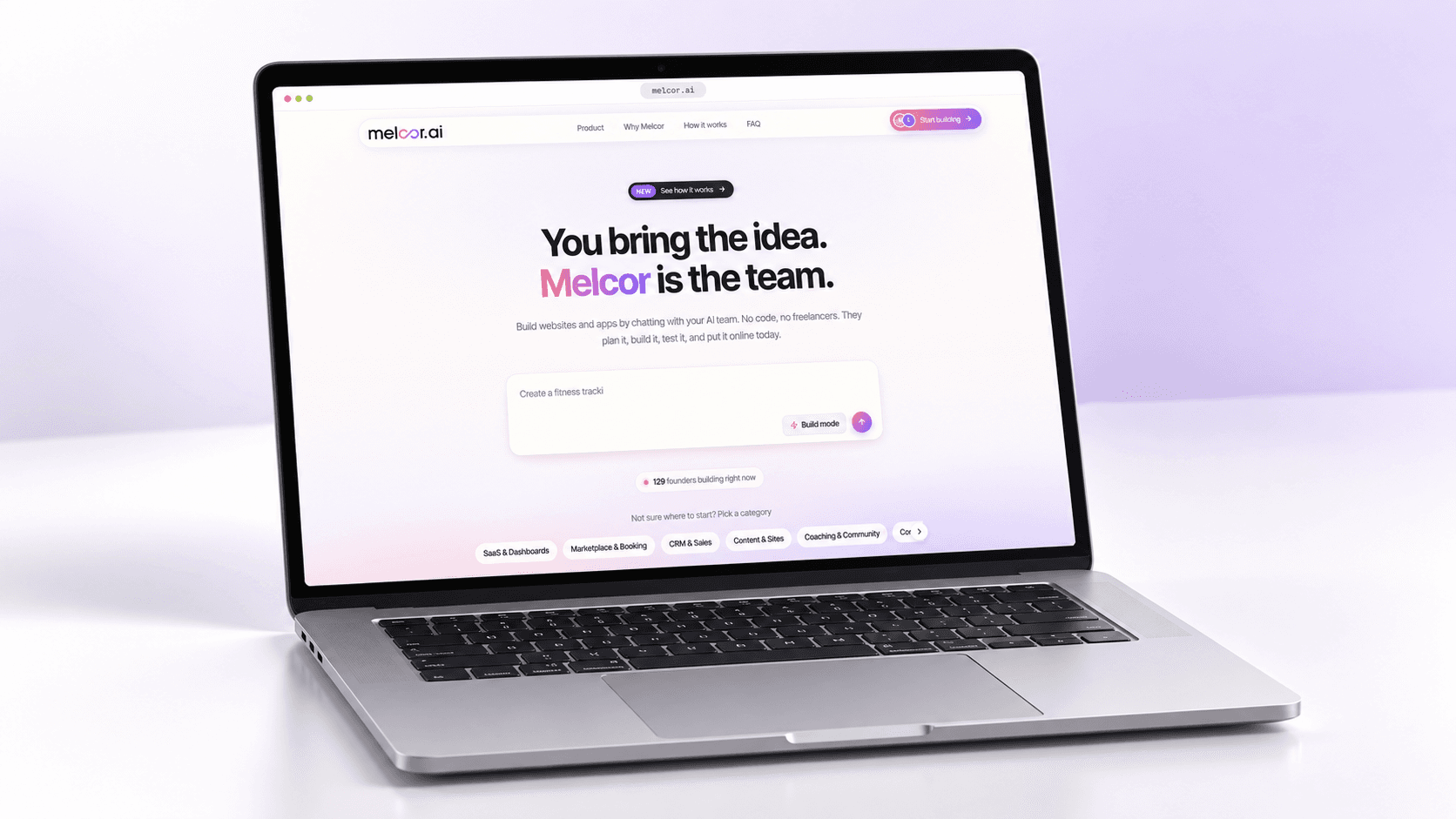
Figures visible in these screenshots are what the Melcor AI interface displays, not measured outcomes of a MelcorSoft delivery. That covers the live counter reading 129 founders building right now, the Lighthouse score of 96 out of 100, the count of 14 decisions logged this week, and the build shown at 70 percent. The web address in the go-live screen is badged MOCKUP inside the product and is not a deployed site.